WordPress troubleshooting and maintenance
Use this lane for plugin conflicts, failed updates, staging checks, maintenance planning, and practical break-fix guidance for business sites that need safer day-to-day operation.
Use the GEENXT blog as a guided entry point to WordPress support, website performance, security, and eCommerce articles for business websites.
Use this archive as the fastest route into GEENXT's WordPress support content for business websites. The goal is not to show a flat list of posts. It is to help business owners, operators, and in-house teams find the right troubleshooting, performance, security, or eCommerce guidance first, then move into direct support when the issue needs implementation help.
Use this lane for plugin conflicts, failed updates, staging checks, maintenance planning, and practical break-fix guidance for business sites that need safer day-to-day operation.
Use this lane for slow page loads, caching decisions, waterfall analysis, hosting limits, response-time problems, and performance bottlenecks that affect business websites.
Use this lane for WordPress hardening, incident response, security checklists, and implementation decisions where uptime, recovery, and trust matter more than generic advice.
Use this lane for WooCommerce performance, product schema, platform tradeoffs, and store implementation decisions that affect catalog quality, checkout reliability, and discoverability.
GEENXT is a Philippines-based remote website support provider serving global clients. This archive stays focused on business-website problems that connect directly to WordPress troubleshooting, performance work, security, and eCommerce implementation, so readers can move from research into a clearer next action.
GEENXT also publishes selected articles in remote work and freelancing and web development and programming career, but the main archive remains anchored to business website support so the site's core expertise stays clear.
A practical comparison of caching tools for business sites, including fit, feature risks, rollout steps, FAQ guidance, and schema-ready SEO notes.
A complete WordPress maintenance checklist for business websites: daily, weekly, monthly, quarterly, and annual tasks for backups, updates, security, performance, and recovery, plus when to outsource.
A practical threat reference for website owners covering the most common website security threats, how they happen, and the first mitigations to prioritize.
Website performance testing shows how fast, stable, and responsive your site feels for real visitors. Use PageSpeed Insights, Lighthouse, GTmetrix, and WebPageTest together to find the issues worth fixing first.
Learn how to run a website speed audit, compare Lighthouse and GTmetrix results, read Core Web Vitals, inspect waterfall issues, and turn page speed data into practical fixes.
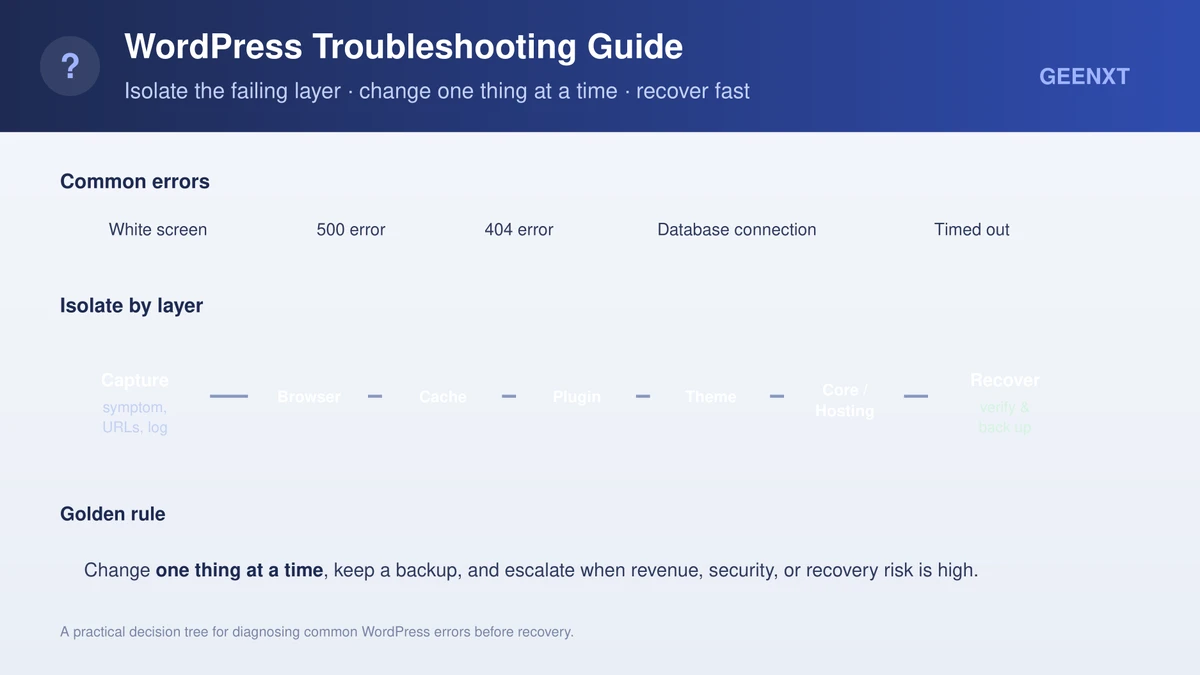
Step-by-step method to troubleshoot WordPress errors and site breaks without coding. Isolate browser, cache, plugin, theme, hosting, and database layers one at a time. Know when to escalate.