WooCommerce vs Shopify For Business Websites Compared
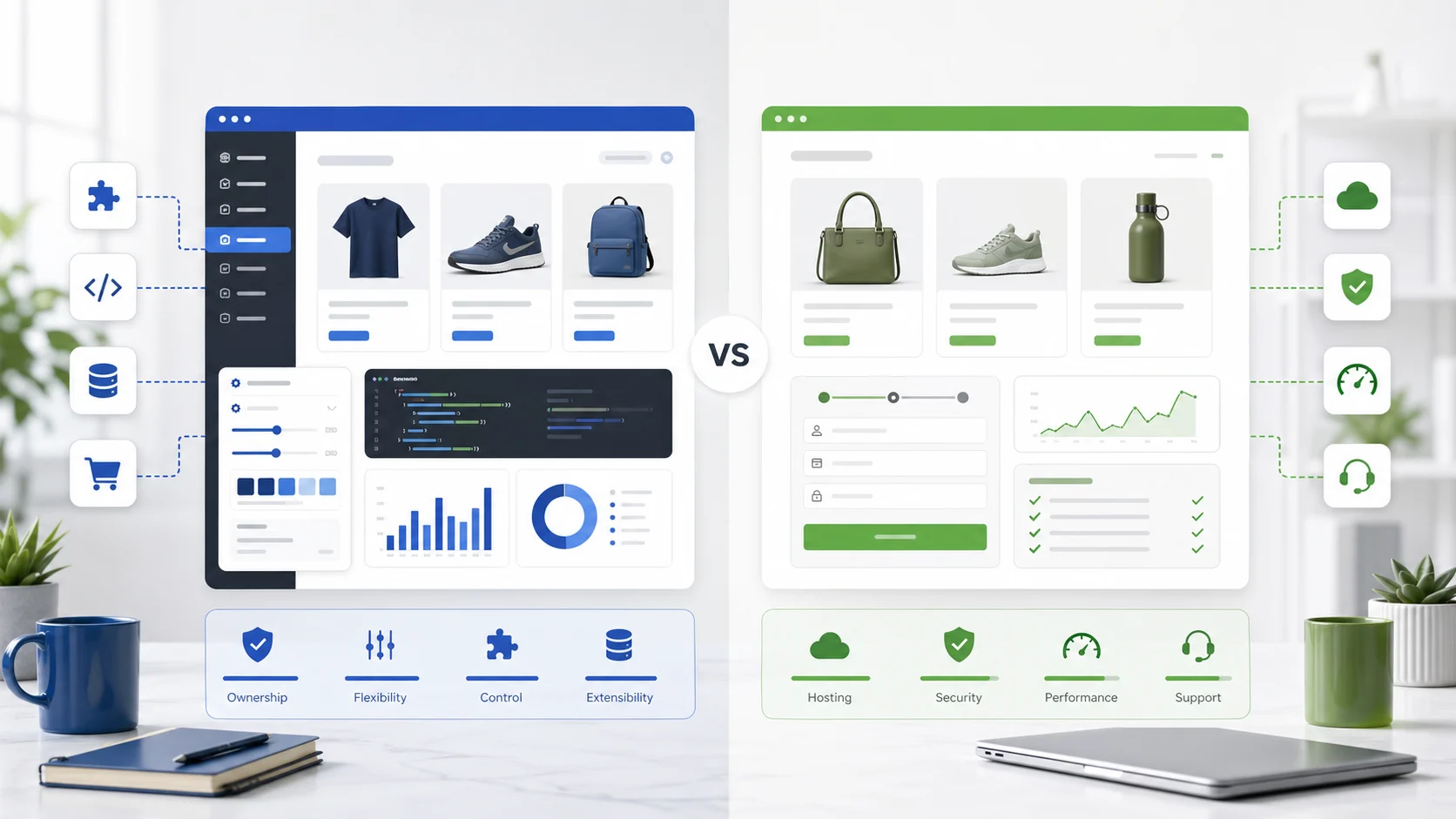
Choose WooCommerce when you want WordPress ownership, deep content and SEO control, and custom checkout or B2B workflows. Choose Shopify when you want managed hosting, a faster launch, and lower technical maintenance. The right ecommerce platform depends on your team’s capacity, integrations, and five-year cost, not monthly fees alone.
AEO TL;DR: WooCommerce is usually the better fit when a business wants WordPress ownership, flexible content, custom checkout logic, and long-term control. Shopify is usually better when the priority is a managed ecommerce system, faster launch, lower technical maintenance, and simpler operations. The right choice depends on cost model, team capacity, integrations, SEO needs, and growth plans.
Which is cheaper, WooCommerce or Shopify?
WooCommerce is often cheaper when you already use WordPress, can manage hosting, and need flexible extensions instead of bundled SaaS fees. Shopify can be cheaper when you value included hosting, security, checkout, support, and lower maintenance overhead. The cheaper choice depends on build complexity, transaction model, apps, and support needs.
Choosing between WooCommerce and Shopify is not just a software decision. It is a business model decision. Both platforms can run a serious online store, both can support product catalogs, payments, shipping, discounts, analytics, and search visibility, and both can scale beyond a basic storefront. The difference is how much control you want, how much operational responsibility your team can handle, and where you want costs to appear over time.
This WooCommerce vs Shopify comparison is written for business websites, not hobby stores. If your ecommerce site must support lead generation, SEO landing pages, product education, wholesale workflows, CRM integrations, subscriptions, performance targets, and long-term content marketing, the platform choice has consequences that show up for years.
For help planning the broader build, see our ecommerce development and WooCommerce development services. If you are leaning toward WooCommerce, also review best WordPress hosting for WooCommerce and plan for WooCommerce product-page speed early.
Quick Recommendation
Choose WooCommerce if your business already depends on WordPress, needs deep content and SEO control, wants ownership of the store stack, or expects custom workflows around pricing, membership, product data, subscriptions, B2B, gated content, or back-office integrations.
Choose Shopify if your team wants a managed ecommerce platform with hosting, security, checkout infrastructure, app-based setup, and less day-to-day platform administration. Shopify is especially attractive when the store is the main website and the business wants to move quickly without maintaining a WordPress hosting stack.
The short version: WooCommerce gives you more control; Shopify gives you more platform convenience.
WooCommerce vs Shopify At A Glance
| Area | WooCommerce | Shopify |
|---|---|---|
| Platform type | Open-source ecommerce plugin for WordPress | Hosted ecommerce SaaS platform |
| Best fit | Content-heavy, SEO-driven, customizable business websites | Commerce-first stores that want managed operations |
| Ownership | More control over hosting, code, data, and architecture | More platform-managed infrastructure and conventions |
| Launch speed | Fast with a prepared WordPress stack; slower when highly custom | Usually fast for standard storefronts |
| Maintenance | Requires WordPress, plugin, hosting, and security management | Platform handles core hosting and infrastructure |
| Design flexibility | Very high, especially with custom WordPress themes | Strong within theme and app ecosystem constraints |
| SEO control | Excellent for content architecture and technical SEO when implemented well | Strong basics, with some platform constraints |
| Cost pattern | Hosting, development, extensions, maintenance | Subscription, apps, themes, payments, development |
| Custom checkout | Flexible but requires careful development and compliance planning | More controlled, with platform-specific checkout rules |
| Long-term tradeoff | More responsibility, more flexibility | Less responsibility, less low-level control |
What WooCommerce Is Really Good At
WooCommerce works best when ecommerce is part of a larger business website. If your site needs service pages, resource hubs, technical guides, location pages, gated downloads, comparison pages, product education, and search-driven lead generation, WooCommerce keeps the store close to the content engine. WooCommerce is the official open-source WooCommerce plugin for WordPress, so the store inherits the same publishing, taxonomy, schema, and template system as the rest of the site.
That matters because many business buyers do not land directly on a product page and buy immediately. They search for problems, compare options, read guides, evaluate credibility, and return later. WordPress is strong for that journey. WooCommerce lets the ecommerce layer live inside the same publishing, taxonomy, schema, and landing page system.
WooCommerce is also strong when the store needs custom rules. Examples include conditional pricing, complex product configuration, custom account dashboards, wholesale access, integration with an existing ERP, unusual shipping logic, or content-gated purchases. None of those are impossible on Shopify, but WooCommerce often gives developers more direct control over the application layer because WooCommerce offers deeper access to hooks, data, and templates. Builds with that level of custom logic are typically scoped by a WooCommerce development agency rather than assembled from off-the-shelf parts.
The tradeoff is that WooCommerce does not remove operational responsibility. Hosting, performance, backups, plugin quality, update testing, security headers, caching, database health, and checkout reliability need active ownership. That can be handled internally or through a support partner, but it should be planned from the start.
What Shopify Is Really Good At
Shopify is strong when the business wants ecommerce infrastructure handled by the platform. Hosting, core updates, checkout foundations, platform uptime, SSL, admin workflows, and many operational details are managed in a more standardized way. That makes Shopify attractive for teams that want to sell online without assembling and maintaining a WordPress ecommerce stack. As a fully hosted platform, Shopify packages hosting, checkout, and payments into a single managed subscription.
Shopify also has a mature app ecosystem. Many store features can be added through apps rather than custom development, and the Shopify app store is large enough that most common requirements have an existing solution. That can reduce launch time and simplify early decisions, especially for smaller teams.
For a commerce-first brand with a relatively standard catalog, Shopify is often the more straightforward path. Product setup, inventory, discounts, collections, payments, shipping integrations, and storefront themes are packaged into a coherent workflow. The platform does not eliminate strategy or development needs, but it narrows the operating surface.
The tradeoff is control. Shopify is opinionated. That is part of its value. But when a business needs unusual URL structures, custom backend workflows, advanced publishing architecture, highly tailored checkout logic, or deep ownership over technical SEO implementation, those platform conventions can become constraints.
Key Differences Between WooCommerce And Shopify
The core differences between WooCommerce and Shopify come down to architecture and responsibility. WooCommerce is a WordPress plugin: you install the WooCommerce plugin on your own hosting, and you own the code, database, and content stack. Shopify is a fully hosted platform: you rent a managed system and operate inside its conventions. Everything else follows from that one structural difference.
WooCommerce is free to install, but the real cost lives in hosting, extensions, and development time. Shopify charges a predictable monthly plan that bundles hosting, security, and checkout, with additional cost arriving through apps, premium themes, and transaction fees when you do not use Shopify Payments. One model trades upfront convenience for recurring fees; the other trades recurring platform fees for setup and maintenance effort.
Control versus convenience is the practical summary. WooCommerce offers extensive customization and deeper data ownership; Shopify makes it easy to launch and operate a standard store. Neither is universally better. The right answer depends on the scale of your business, your team’s technical capacity, and how much of the stack you want to own.
Side-By-Side Feature Comparison
| Feature | WooCommerce | Shopify | Practical Impact |
|---|---|---|---|
| Hosting | You choose and manage hosting | Hosting is included in the platform | WooCommerce needs stronger infrastructure decisions; Shopify simplifies operations |
| CMS flexibility | Native WordPress publishing | Built-in CMS, less flexible than WordPress | WooCommerce is better for content-led SEO strategies |
| Product management | Strong, extensible product model | Strong native product management | Both work well for standard catalogs |
| Checkout control | Highly flexible with development | More platform-controlled | WooCommerce offers more customization; Shopify offers more consistency |
| Apps and extensions | WordPress plugins and WooCommerce extensions | Shopify App Store | Both ecosystems are large; quality and long-term cost vary |
| Technical SEO | High control over schema, templates, canonicals, content hubs | Good defaults with some constraints | WooCommerce can go deeper when implemented carefully |
| Security model | Shared responsibility across host, WordPress, plugins, and team | More managed at platform level | Shopify reduces maintenance burden; WooCommerce requires governance |
| Performance | Depends heavily on hosting, theme, plugins, caching, and database | Strong baseline for hosted stores | WooCommerce can be fast, but must be engineered |
| Ownership | Greater control over code and data architecture | More reliance on SaaS platform | WooCommerce suits ownership-focused businesses |
| Integrations | Flexible through APIs, plugins, custom code | Strong app and API ecosystem | Best choice depends on ERP, CRM, PIM, and fulfillment needs |
| B2B workflows | Very flexible with custom development | Available through platform features, apps, or higher-tier setups | Verify requirements before choosing |
| Content marketing | Excellent | Adequate for many stores | WooCommerce usually wins for SEO-heavy editorial strategies |
Pricing Models Compared
A fair wp vs Shopify cost comparison starts with how each platform charges. WooCommerce is free to install, so there is no platform license fee. Instead you pay a hosting provider, buy any premium extensions you need, and budget for development and maintenance. Costs scale with the complexity of your store rather than with a fixed plan.
Shopify charges a recurring subscription that bundles hosting, security, and checkout into one Shopify plan. On top of that, business owners typically add paid apps, a premium theme, and payment processing. When a store uses Shopify Payments, card rates are standardized; when it uses an external gateway, Shopify charges an extra transaction fee. That makes using Shopify Payments the default for most Shopify stores.
The headline numbers can mislead. A “free” WooCommerce store still needs solid hosting and may rely on several paid extensions, while a Shopify plan that looks expensive can be cheaper once you factor in the infrastructure and maintenance it replaces. Map your real requirements before assuming either platform is the budget option.
Cost And 5-Year TCO
A useful cost comparison should not stop at monthly platform fees. The real question is total cost of ownership: what you pay to build, run, improve, secure, and support the store over several years.
Because current plan prices, app fees, transaction rules, and extension licenses change, the table below uses relative cost categories instead of current numeric pricing. Before publishing final numbers, verify current pricing directly from Shopify, WooCommerce.com, hosting providers, payment gateways, and any required app vendors.
| 5-Year TCO Area | WooCommerce Cost Driver | Shopify Cost Driver | TCO Notes |
|---|---|---|---|
| Platform access | WordPress and WooCommerce core are open-source; costs come from hosting, extensions, and labor | Subscription plan and platform-related fees | Shopify has clearer recurring platform fees; WooCommerce costs depend on stack choices |
| Hosting and infrastructure | Business-grade WordPress hosting, CDN, backups, staging, monitoring | Included in platform subscription for standard hosting needs | WooCommerce needs more hosting planning |
| Design and build | Theme customization, custom blocks, product templates, checkout, integrations | Theme setup, Shopify development, app configuration, platform-specific customization | Either can be inexpensive or expensive depending on scope |
| Apps and extensions | Paid plugins, extension renewals, custom plugin maintenance | Paid apps, app subscriptions, premium theme costs | App creep can raise long-term cost on both platforms |
| Maintenance | WordPress core, plugin updates, testing, backups, security, performance | Less infrastructure maintenance; ongoing app/theme/admin work remains | Shopify usually reduces technical maintenance |
| SEO and content | Strong WordPress publishing and schema customization | SEO work within Shopify conventions | WooCommerce may reduce friction for content-heavy sites |
| Custom features | Often custom WordPress/WooCommerce development | Apps, Shopify APIs, or custom Shopify development | Complex requirements can become expensive on either platform |
| Risk cost | Poor plugin choices, weak hosting, missed updates | App dependency, platform constraints, subscription/app increases | Governance matters more than the logo on the platform |
TCO Takeaway
WooCommerce often wins when the business already has a capable WordPress stack, values content-led growth, and needs custom workflows that would require multiple Shopify apps or platform workarounds. Shopify often wins when the business wants predictable operations, a managed commerce foundation, and fewer technical maintenance responsibilities.
For a small store with standard needs, Shopify can feel simpler. For a content-heavy business website with long-term SEO and customization needs, WooCommerce can become more strategically efficient. For a complex operation, neither platform should be selected without mapping integrations, checkout rules, fulfillment, tax, reporting, and support ownership.
Ease Of Use And Who Manages What
Day-to-day, Shopify is usually simpler to manage because the platform owns the parts that break. Updates, hosting, SSL, and checkout infrastructure are handled for you, so business owners can focus on products, marketing, and customers. Shopify makes it easy to get a clean, working store live without a developer on standby.
WooCommerce asks more of whoever runs the site. Someone has to own hosting, updates, plugin quality, backups, and performance, whether that is an internal team or a maintenance partner. In exchange, you get a store that bends to your processes instead of forcing your processes to fit the platform. Many business owners happily accept that trade when WooCommerce gives them the content and SEO control they need; others prefer to hand the operational load to Shopify.
Scalability
Both platforms scale, but they scale differently. Shopify scales by moving you up its plan ladder, and very large merchants move to Shopify Plus for higher throughput, more automation, and enterprise checkout. The platform absorbs traffic spikes for you, which suits stores that grow quickly and do not want to think about infrastructure.
A WooCommerce store scales with the quality of its engineering. Performance under load depends on hosting tier, caching strategy, database health, theme efficiency, and plugin discipline. Done well, WooCommerce handles high-volume catalogs and traffic; done carelessly, it slows down. The right ceiling depends on the scale of your business and how much performance work you are willing to invest in. For a deeper treatment, see our guide to caching layers for WordPress.
SEO, AEO, And Content Control
For search, the best ecommerce platform is the one your team can keep technically clean and content-rich. WooCommerce has an advantage when the ecommerce site is also a knowledge base, sales enablement hub, comparison library, or service website. WordPress makes it easier to build topic clusters, custom content types, internal linking systems, schema strategies, editorial workflows, and conversion-focused landing pages.
That does not mean Shopify is weak for SEO. Shopify can rank well, and many Shopify stores perform strongly in organic search. The difference is flexibility. If your SEO strategy depends on custom templates, advanced internal linking, editorial taxonomies, programmatic content sections, highly controlled schema, and non-standard URL architecture, WooCommerce usually gives more room to work.
For AI-powered search and answer engines, both platforms need clear page structure, direct answers, schema, original expertise, and strong crawlability. Both must also meet Google’s Core Web Vitals thresholds, since page experience affects ecommerce ranking and conversion; see our breakdown of Core Web Vitals for WordPress. The platform alone will not earn visibility. Your content must answer comparison queries, buying objections, pricing concerns, implementation questions, and post-purchase support issues.
For this article’s primary keyword, woocommerce vs shopify, the intent is commercial comparison. A visitor likely wants a recommendation, not a generic definition. That is why the page should include a direct answer, comparison table, cost model, best-fit matrix, and FAQ section.
Payments And Checkout
Payments are where the two platforms feel most different. Shopify steers stores toward Shopify Payments, its built-in processor; using Shopify Payments avoids the extra per-transaction fee that Shopify charges when you connect an outside gateway. Checkout itself is largely fixed, which keeps it reliable and fast but limits deep customization on lower plans.
WooCommerce takes the opposite approach. It supports a wide range of payment gateways through plugins, and the checkout is fully editable, so you can add custom fields, conditional logic, B2B terms, or unusual tax and shipping rules. That flexibility is powerful for complex businesses, but it puts compliance, security, and checkout reliability on your team rather than the platform. Choose based on whether your priority is a predictable managed checkout or a checkout you can reshape.
Operations, Security, And Maintenance
This is where the Shopify vs WooCommerce decision becomes practical. WooCommerce gives more control, but the business must control more things. A WooCommerce site needs a reliable host, staging workflow, backups, update process, security monitoring, plugin governance, performance optimization, and incident response plan.
Shopify reduces much of that operational burden. The platform handles many infrastructure concerns, and the admin experience is designed around ecommerce operations. That can be valuable for teams that do not want to manage WordPress maintenance.
However, Shopify does not remove all responsibility. Apps can conflict with themes, custom code can introduce issues, tracking scripts can slow pages, and operational processes still matter. A Shopify store still needs SEO QA, analytics governance, accessibility checks, content updates, conversion testing, and integration monitoring.
The question is not “Which platform has no maintenance?” Neither does. The better question is “Which maintenance model matches our team?”
Integrations And Business Systems
Most business websites need more than a cart. They need CRM syncing, email marketing, payment gateways, tax handling, accounting, inventory, shipping, customer service, analytics, product feeds, PIM or ERP connections, and sometimes custom reporting.
WooCommerce can be deeply customized because it sits inside WordPress and can be extended through plugins, hooks, APIs, and custom code. That is useful when internal workflows are unique, and it is a common reason teams engage WooCommerce development support.
Shopify has a strong integration ecosystem and well-documented app patterns. It is often faster to connect common ecommerce tools, especially when the business accepts standard workflows.
Before selecting a platform, list every required integration and mark it as standard, app-supported, custom, or unknown. Unknown integrations are where platform cost and risk often hide.
Migration Considerations
If you already have a WordPress site with strong rankings, WooCommerce may reduce migration risk because the store can be added without rebuilding the entire content system. You still need careful URL planning, product schema, redirects, performance testing, and checkout QA, but the content foundation remains familiar.
If you are moving from a basic website to a commerce-first brand experience, Shopify may be a cleaner restart. Shopify offers migration tools and apps that help import products and customers, so the migration can focus on product data, collections, brand pages, redirects, and conversion paths. Teams moving the other way, from Shopify to WooCommerce, usually do so to regain content and checkout control, and should plan redirects and data export carefully.
The riskiest migration is the one that treats platform switching as only a design project. Ecommerce migrations affect URLs, metadata, schema, product feeds, analytics, email flows, payment settings, tax settings, shipping rules, order history, customer accounts, and internal operations.
Best For Matrix
| Business Scenario | Best Fit | Why |
|---|---|---|
| Existing WordPress business website adding ecommerce | WooCommerce | Keeps store, content, SEO, and lead generation in one system |
| New product brand that wants to launch quickly | Shopify | Managed platform and standard store workflows reduce setup friction |
| SEO-heavy site with guides, landing pages, and resource hubs | WooCommerce | WordPress gives stronger publishing architecture and content control |
| Small team without technical support | Shopify | Less infrastructure and update responsibility |
| Custom checkout or unusual product logic | WooCommerce | More control when custom development is acceptable |
| Standard direct-to-consumer catalog | Shopify | Strong built-in commerce workflows |
| B2B, wholesale, gated content, or account-specific flows | Depends | WooCommerce is flexible; Shopify may work depending on required features and plan capabilities |
| Business prioritizing platform ownership | WooCommerce | More control over stack, hosting, code, and data architecture |
| Business prioritizing operational simplicity | Shopify | More of the platform is managed |
| Enterprise-style ecommerce shortlist | Depends | Compare WooCommerce, Shopify Plus, and headless builds against your requirements |
Decision Framework
Use WooCommerce when these statements are true:
| Statement | If Yes |
|---|---|
| Our website needs deep WordPress content and SEO flexibility | Favor WooCommerce |
| We have technical support or a maintenance partner | Favor WooCommerce |
| We need custom workflows that do not fit a standard SaaS store | Favor WooCommerce |
| We want more control over hosting, code, and data architecture | Favor WooCommerce |
| We can manage plugin quality and update testing | Favor WooCommerce |
Use Shopify when these statements are true:
| Statement | If Yes |
|---|---|
| We want the platform to manage core ecommerce infrastructure | Favor Shopify |
| Our store requirements are mostly standard | Favor Shopify |
| Our team wants faster setup with less technical administration | Favor Shopify |
| We prefer app configuration over custom development where possible | Favor Shopify |
| The store is commerce-first rather than content-first | Favor Shopify |
Final Recommendation
There is no universal winner in an ecommerce platform comparison. WooCommerce and Shopify solve different business problems.
WooCommerce is the better strategic fit for businesses that want WordPress content power, technical ownership, custom workflows, and long-term SEO flexibility. Shopify is the better strategic fit for businesses that want a managed commerce platform, faster operational setup, and less responsibility for infrastructure.
If the decision is close, model five years of cost, not one month of fees. Include hosting, apps, extensions, development, maintenance, SEO work, performance support, integration risk, and the cost of future changes. The best ecommerce platform is the one that supports the way your business actually sells, publishes, operates, and grows.
FAQ
Is WooCommerce better than Shopify for SEO?
WooCommerce is often better for SEO-heavy business websites because it runs on WordPress and gives more control over content architecture, internal links, schema, templates, and technical SEO details. Shopify can still perform well in search, especially for standard ecommerce stores with clean themes, strong product pages, and useful content.
Is Shopify easier to manage than WooCommerce?
Yes, Shopify is usually easier to manage from an infrastructure standpoint because hosting, core platform updates, and many ecommerce foundations are handled by Shopify. WooCommerce requires more responsibility for hosting, WordPress updates, plugin quality, backups, performance, and security. That extra control can be valuable, but it needs ownership.
Which platform is better for a business website with ecommerce?
WooCommerce is usually better when ecommerce is part of a larger business website with service pages, blogs, guides, landing pages, and SEO campaigns. Shopify is usually better when the website is primarily an online store and the business wants a managed commerce platform with standard store operations.
Which platform scales better, WooCommerce or Shopify?
Both scale, but in different ways. Shopify scales through higher plans and Shopify Plus, absorbing traffic and infrastructure for you. WooCommerce scales with engineering quality: hosting tier, caching, database health, and plugin discipline determine how much volume it handles. For predictable managed scaling, Shopify is simpler; for controlled, customizable scaling, WooCommerce can go further with the right team.
How do WooCommerce and Shopify pricing models compare?
WooCommerce is free to install, so you pay for hosting, premium extensions, and development instead of a platform license. Shopify charges a recurring subscription that bundles hosting, security, and checkout, plus apps, themes, and transaction fees when you do not use Shopify Payments. WooCommerce costs scale with store complexity; Shopify costs are more predictable but recurring.
Can WooCommerce scale like Shopify?
WooCommerce can scale, but it depends on hosting quality, code quality, database performance, caching, product structure, plugin choices, and operational support. Shopify provides a managed scaling foundation for many stores. For high-volume or complex commerce, validate performance, integrations, checkout rules, and support needs before choosing either platform.
Does WooCommerce have lower long-term costs than Shopify?
Sometimes. WooCommerce can have lower long-term platform costs when a business already has WordPress expertise and avoids unnecessary paid extensions. But costs can rise through hosting, development, maintenance, and plugin support. Shopify can cost more through subscriptions and apps, but may reduce technical maintenance overhead.
What should I compare before choosing WooCommerce or Shopify?
Compare ownership, hosting, maintenance, checkout requirements, SEO flexibility, content needs, integrations, app costs, development needs, payment rules, product complexity, reporting, and five-year total cost. Do not choose based only on monthly software pricing. The platform should match your operating model and growth plan.